RPG Audio Vault Bundle
3D > Environments > Buildings
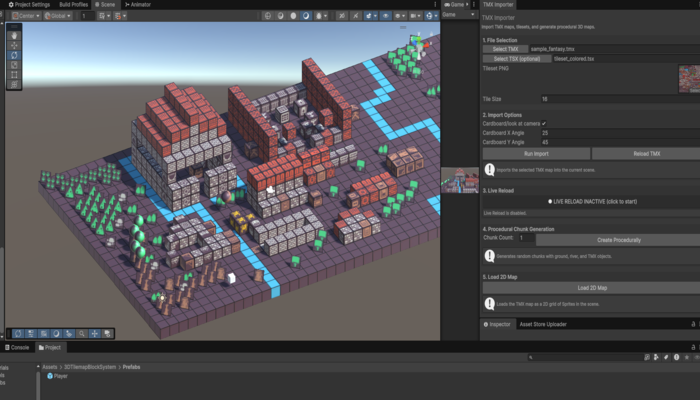
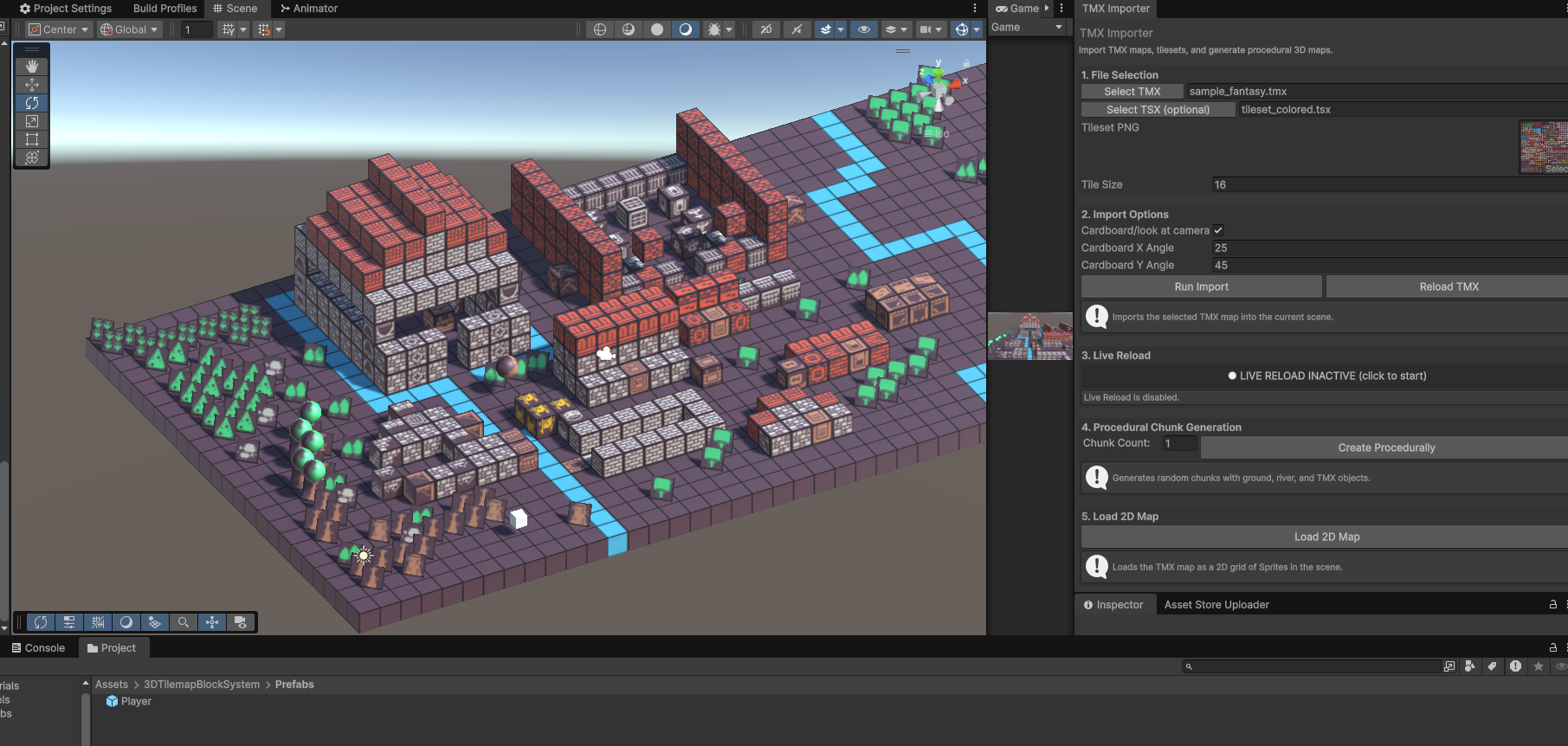
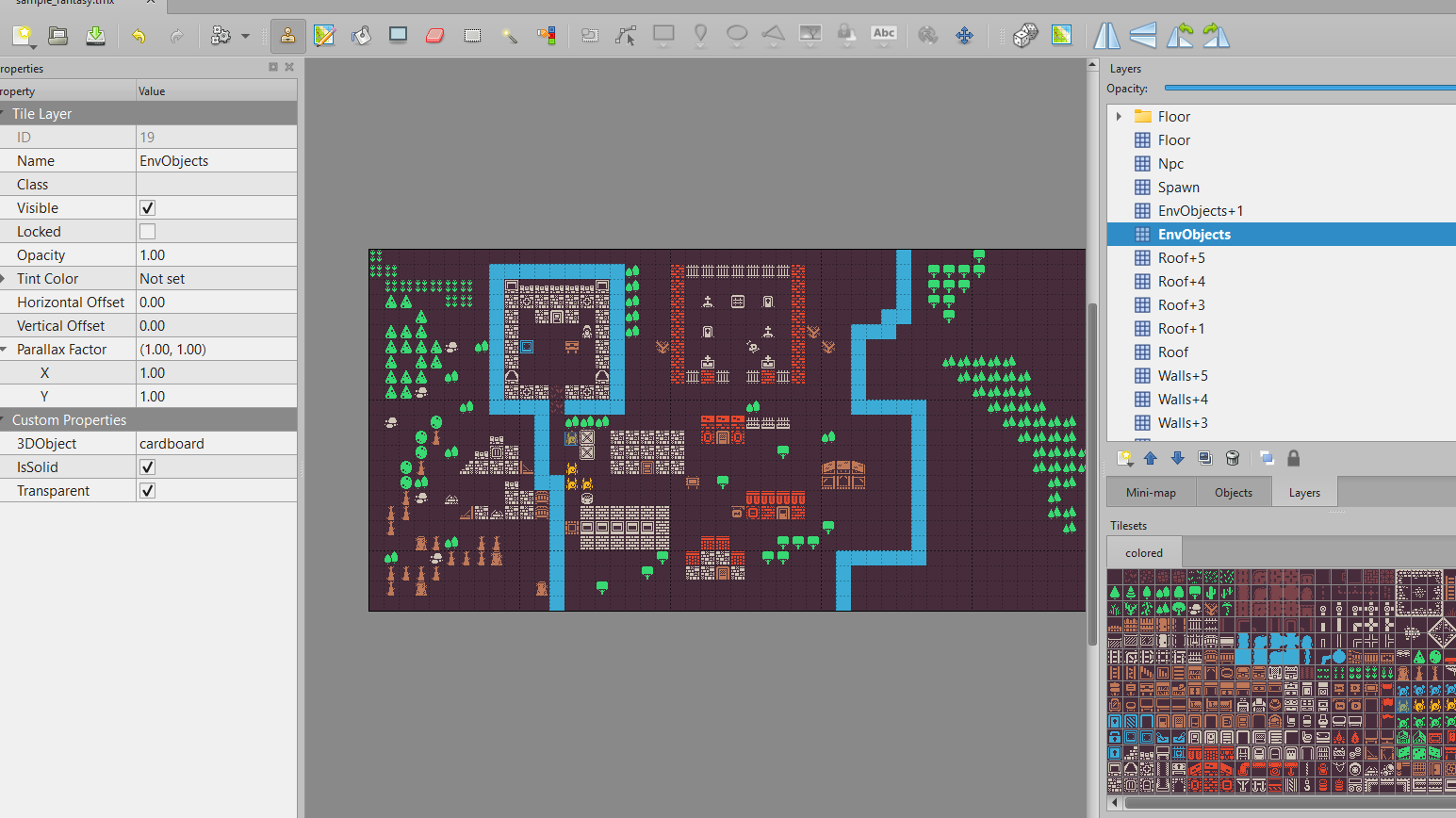
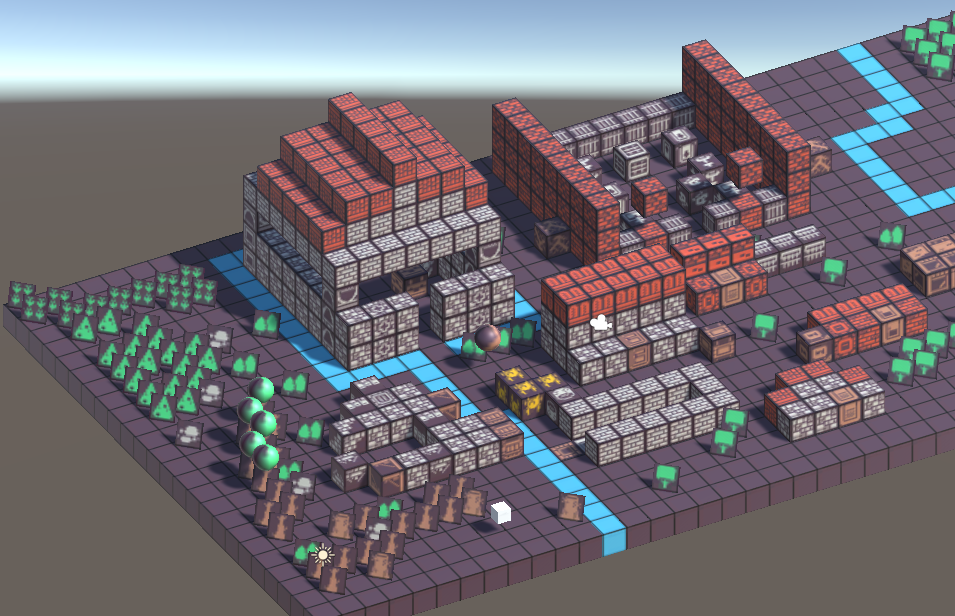
Block System for Unity is a complete toolkit for creating interactive, block-based environments. The package includes a PlayerController script for smooth WASD and click-to-move controls, a BlockMover for picking up, dropping, and throwing blocks with grid snapping and visual highlighting, and a PlaceZone for block disposal. The TMX Importer Editor Window allows you to import Tiled TMX maps and generate 3D or 2D tilemaps directly in your scene, with procedural chunk generation and live reload support. All scripts are organized under namespaces, fully commented, and easy to customize. Prefabs for player, blocks, and place zones are included, along with a demo scene and comprehensive offline documentation. Ideal for prototyping, educational projects, or as a foundation for your own block-based games.
TMX Map Layer Guidelines
To ensure your TMX maps work correctly with the Block System for Unity, follow these guidelines when creating or exporting maps from Tiled:
Supported Layer Names and Conventions
Layer Properties
Example Layer Setup
Tips
How to Use:
If you follow these conventions, your TMX maps will be imported and rendered correctly in Unity with the Block System!

This asset has not received any reviews yet.
You must be logged in and have bought this asset to leave a review.
Great news! All assets on GameDev Market come with our standard Pro Licence.
Whereas some asset stores have multiple licence versions, we believe having only one licence keeps things as simple as possible for our users, so that you can keep on doing what you love without any doubts over where and how you can use your assets.
At a glance, here are some of the key points from the licence:
You can:
You cannot:
You can check out the full Pro Licence here.
Great news! All assets on GameDev Market come with our standard Pro Licence.
Whereas some asset stores have multiple licence versions, we believe having only one licence keeps things as simple as possible for our users, so that you can keep on doing what you love without any doubts over where and how you can use your assets.
At a glance, here are some of the key points from the licence:
Please login/signup to add this product to your wishlist.
| Name | Value |
|---|---|
| Version | 1.0.0 |
| Last updated | September 26, 2025 |
| Included formats | unitypackage |
| Created in | Unity |
| File size | 293.72 KB |
| Changelog | N/A |
| Poly count | 0 |
| Animated | |
| Rigged | |
| Textured | |
| Materials | |
| UV Mapped | |
| Allows usage with AI? |
No
The creator has specified that this asset is not to be used for the purpose of any type of AI training.
|
| Name | Value |
|---|---|
| Version | 1.0.0 |
| Last updated | September 26, 2025 |
| Included formats | unitypackage |
| Created in | Unity |
| File size | 293.72 KB |
| Changelog | N/A |
| Poly count | 0 |
| Animated | |
| Rigged | |
| Textured | |
| Materials | |
| UV Mapped | |
| Allows usage with AI? |
No
The creator has specified that this asset is not to be used for the purpose of any type of AI training.
|
*You will receive an email once per week when any Followed Creators list new assets
Log in and Share this asset and your Alliance link will be included, meaning you will earn money back on any sales/purchases made by new members joining through your link! See the Referral Guide for more details.

GameDev Market is a marketplace for high quality, affordable game assets handcrafted by talented creators from all around the world.
GameDev Network Limited is registered in England & Wales (08951892). Registered office: Baltic Co-Working Space, 12 Jordan Street, Liverpool, UK. L1 0BP. ICO registered (ZA122213).
© 2026 GameDev Network Limited. All rights reserved.
Be the first to leave a comment.